
 LifeCRM by Opewell
Keep your car's service history together.
Save what was done, when it happened and the mileage you confirmed. Keep the receipt with the service instead of leaving it in a separate photo folder.
Track your first vehicle

For iPhone, iPad and Apple-silicon Mac through the iPad app. One object free; unlimited objects with a one-time Pro purchase.
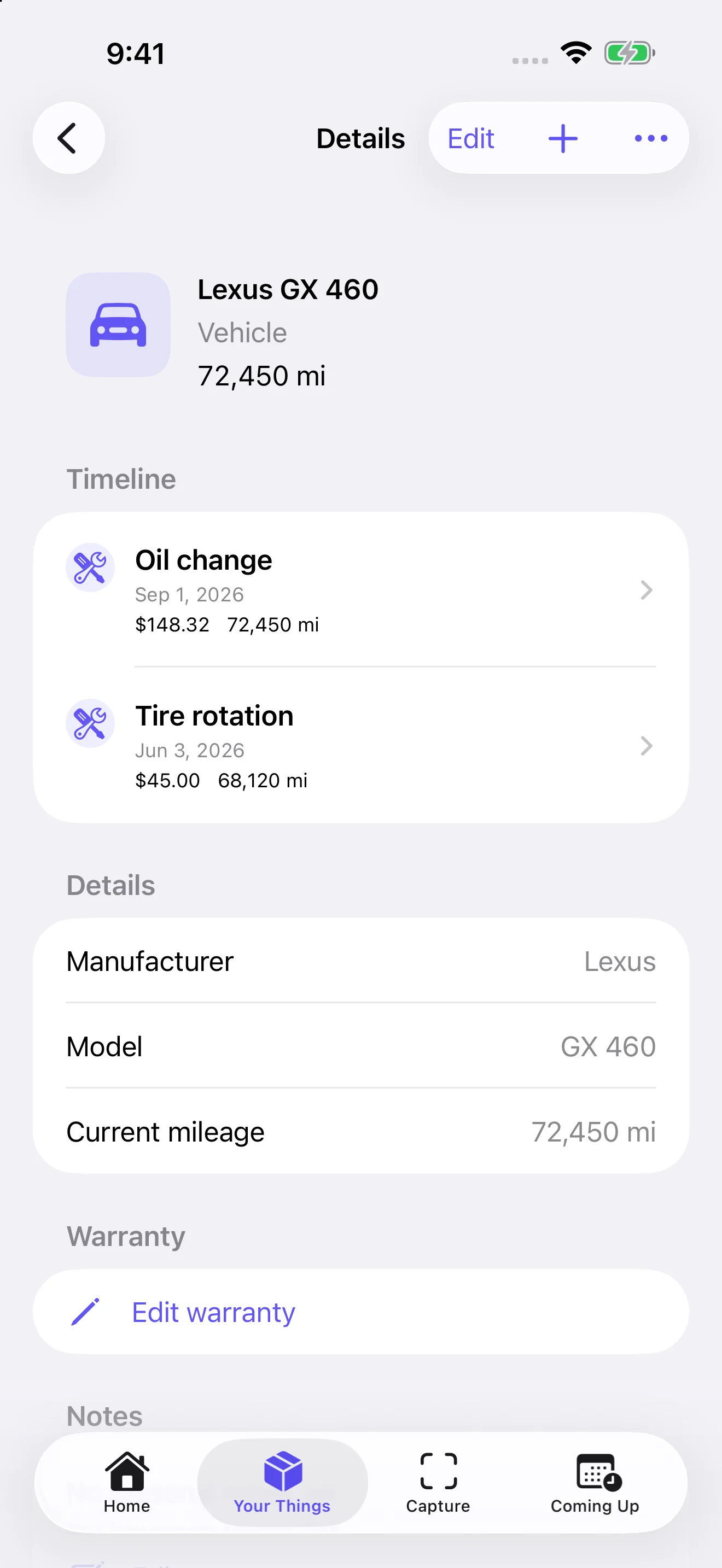
What to save after a service
Record the actual service date, odometer reading and unit, work performed, amount and currency, shop or DIY notes, and the original document. A parts receipt may have a different date from the day you did the work; preserve both facts in the appropriate record and notes.
From receipt to reviewed record
Open Capture, scan or import the document and review the proposed details. LifeCRM can match a vehicle using its VIN, or a registration/vehicle number when applicable and the VIN is absent. A match is not guaranteed. Choose the right vehicle and check uncertain identity or conflicting readings before saving. You can enter a service manually and add documents afterward.
Plan the next step yourself
Use your vehicle's maintenance guidance to choose the next date or mileage threshold. Receipt analysis can propose mileage, and you can enter or correct it manually. Completing service can update the vehicle's recorded mileage. Next-service mileage is a future target, not the current odometer.
Open the reminder in Coming Up and choose Complete & record event. Confirm Event date and Actual mileage, then review Schedule next reminder and the interval. Turn it off if no next reminder is needed. Save the completion and reviewed scheduling changes together. Review the linked next reminder again when editing or deleting a completed service. LifeCRM does not read your odometer continuously, connect to OBD or calculate the manufacturer's service schedule for you.
A useful record is more than a receipt
Include the work actually completed and any details you may need later, such as the part you installed or a link to its documentation. Keep repair and modification notes with the vehicle. Export a compatible LifeCRM archive when you need a copy of its history; this is not a public vehicle-history report or a PDF service certificate.
Start with the vehicle you drive most
One object is free with other features available. LifeCRM Pro adds unlimited objects through one purchase, so you can also keep records for another vehicle, your home or other belongings.
Get LifeCRM on the App StoreQuestions and answers
Does it track mileage automatically?
LifeCRM can propose mileage from a receipt for your review, or you can enter and correct it manually. It does not continuously track your odometer or connect to OBD. Choose reminder thresholds yourself; date notifications require permission.
Will it retrieve a car's previous service records?
LifeCRM organizes the information and documents you provide. It does not retrieve a CARFAX report or a manufacturer's service database.