
 LifeCRM by Opewell
Keep a record of the work your home needs.
Remember the last repair and keep the details for next time. LifeCRM connects your home records, documents and reminders so useful information has a place to stay.
Start your home record

For iPhone, iPad and Apple-silicon Mac through the iPad app. One object free; unlimited objects with a one-time Pro purchase.
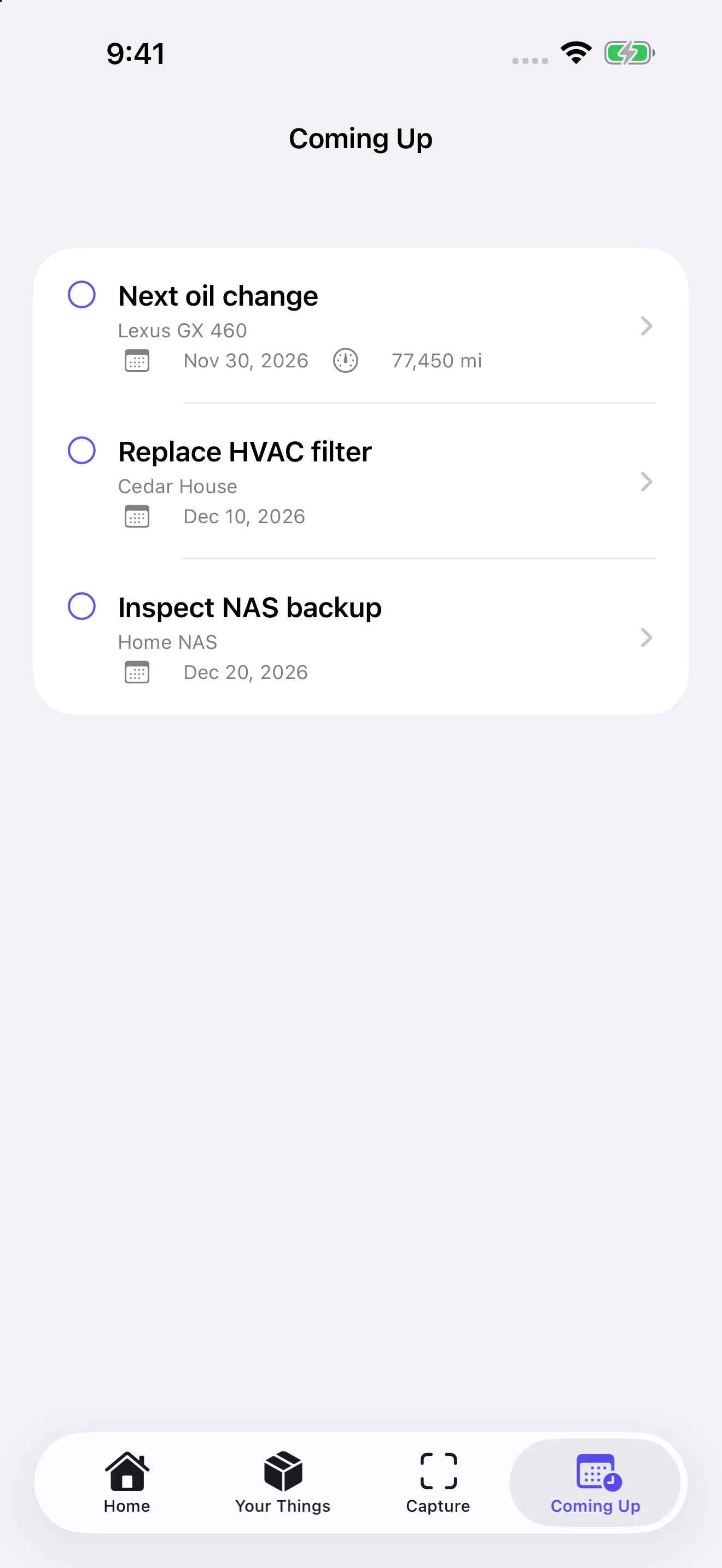
Begin with the next task
Choose one task you already know you need to do, such as replacing a filter. Add your property or appliance. When the work is done, open its reminder in Coming Up and choose Complete & record event. Confirm Event date, review Schedule next reminder, and save. You can turn off the next reminder. Follow the equipment's instructions or professional advice when deciding the interval.
Keep the details that prevent repeat searching
Save the appliance model, relevant document, filter specification, work date and your notes. A photo or receipt can provide context later. Check the original label or manual before relying on a copied part number.
Choose how to organize your home
Use one property record for home-level events, or keep individual appliances as separate objects. Free includes one object; unlimited objects require LifeCRM Pro. Separate objects are useful when each item has its own documents and history, but the app does not force a room-by-room setup.
Know the limits before you start
LifeCRM records the information you provide. It does not inspect equipment, supply a personalized maintenance plan or synchronize a shared family task board. You choose reminder dates, and date notifications require permission. Warranty dates do not create reminders automatically.
Keep a backup of the history
Export a compatible LifeCRM archive and save it somewhere you control. Choose password protection if appropriate and keep that password safely; a lost export password cannot be recovered.
Get LifeCRM on the App StoreQuestions and answers
Does the app tell me how often to change a filter?
No. Use the manufacturer's guidance and your circumstances to choose a date, then set your reminder.
Can I keep several appliances free?
Free includes one object. Use a property record for home-level events or unlock Pro for separate appliance objects.